 XXstory
What Are Instagram Highlights? How Long Story Highlights Last
What are Highlights on Instagram? They are saved Story collections pinned below a profile bio. Learn how long Instagram Highlights last, whether they expire, who can see them, and the 100-clip limit.
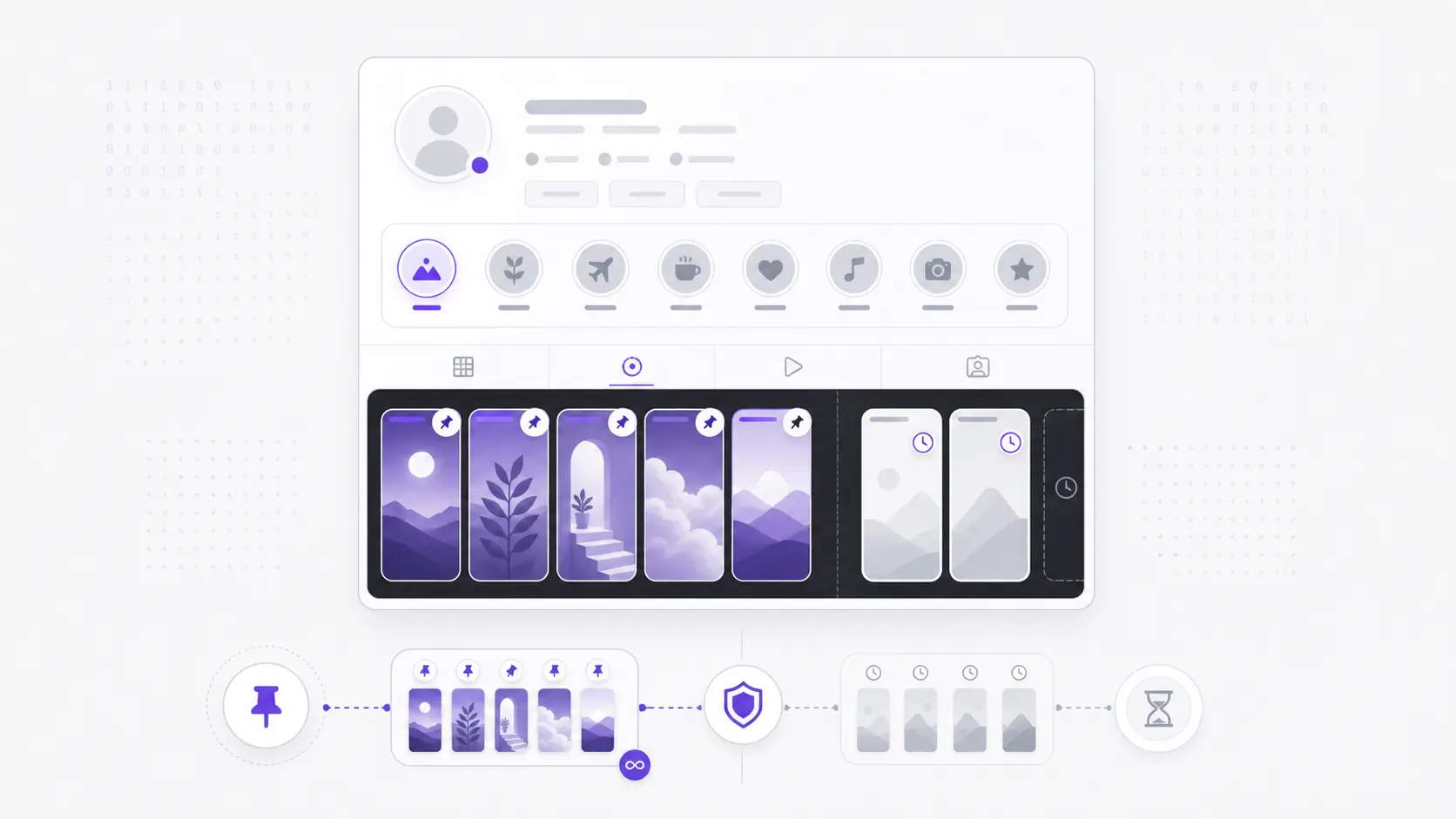
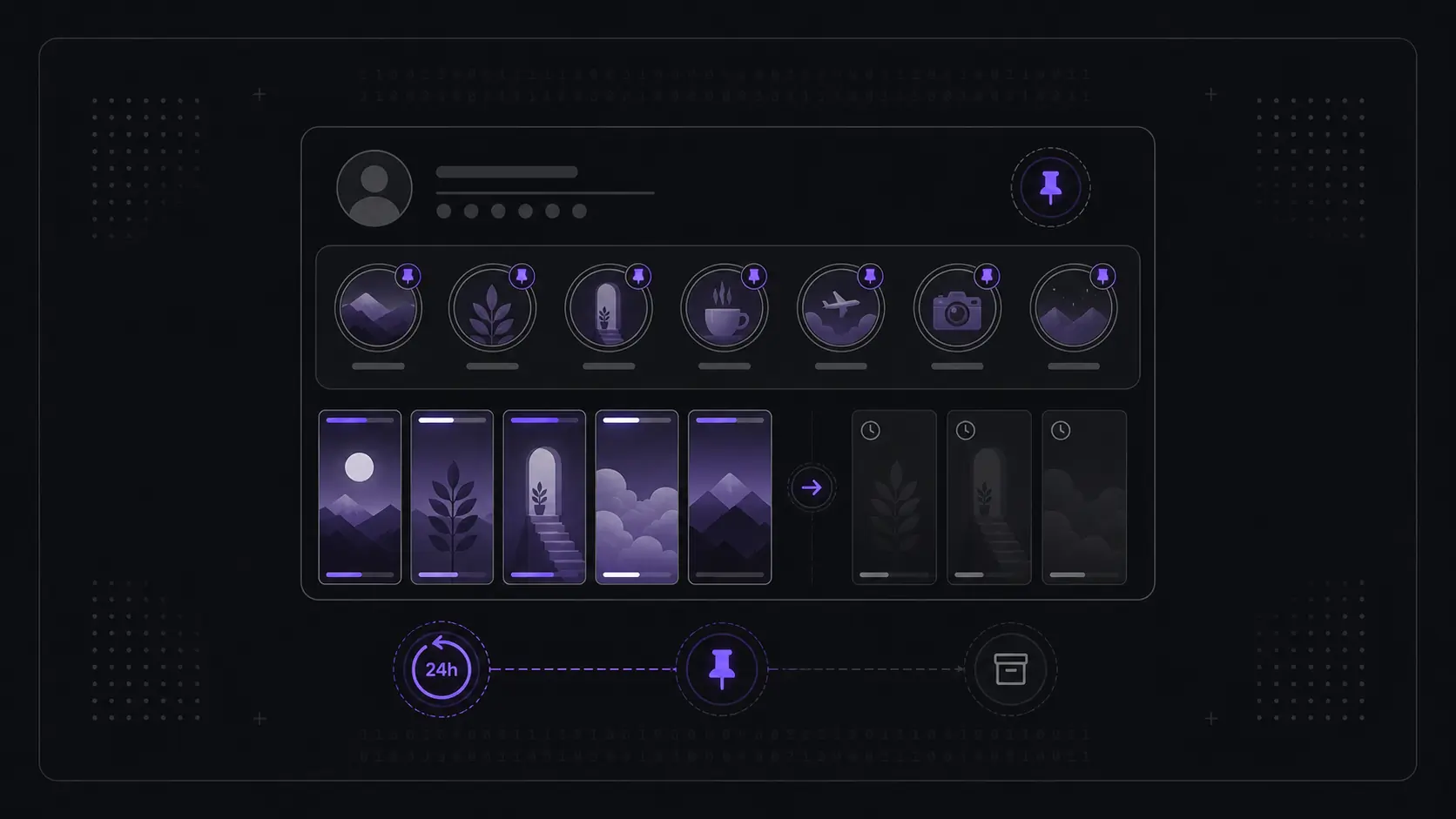
Short answer: Instagram Highlights are saved Story collections that do not expire after 24 hours. A normal story vanishes from public view after 24 hours; a Highlight is a story the owner deliberately pinned below the profile bio so it stays — and on a public profile, anyone can view it indefinitely, until the owner edits or deletes it. Highlights are the permanent-by-choice counterpart to temporary stories.
This page owns one narrow intent: what are Highlights on Instagram, how long do Instagram Highlights last, and do Instagram Highlights expire? For the three-way format comparison, use Instagram Stories vs Highlights vs Archive. For the 24-hour story lifecycle, use how Instagram stories work. For account visibility rules, use public vs private Instagram stories.
Instagram Highlight basics
| Question | Direct answer |
|---|---|
| What are Highlights on Instagram? | Saved story collections pinned as circles below a profile bio. |
| How long do Instagram Highlights last? | Until the owner removes them. There is no automatic expiry. |
| Do Instagram Highlights expire? | No. The 24-hour story timer does not apply after a story is saved to a Highlight. |
| How many clips can one Highlight hold? | Up to 100 clips per Highlight group. |
| Who can see Highlights? | Anyone can see public-profile Highlights; only approved followers can see private-profile Highlights. |
| Can a public viewer show Highlights? | Yes, when the profile and Highlight are public and still pinned. |
What exactly is a Story Highlight?
A Story Highlight is a past story the account owner has chosen to keep, grouped into a labeled, circular thumbnail that sits in a row just below the bio. It is not a separate kind of content — it is the same story footage, photo, text, or sticker, simply rescued from the 24-hour window and parked somewhere permanent. When a viewer taps a Highlight, the clips inside play back one after another in the same tap-through format as a live story.
The key idea is that a Highlight is curated. A live story appears automatically the moment it's posted and disappears on its own. A Highlight only exists because a person made a deliberate choice to save it and arrange it. That distinction matters for viewing: Highlights represent the content an account most wants visitors to see, which is why they are usually the richest place to understand what a public profile is about.
How do Highlights differ from regular stories?
In one line: stories are temporary by default, Highlights are permanent by choice. A regular story is publicly visible for 24 hours on a public account and then drops out of the feed; a Highlight has no timer and stays put until the owner removes it.
The two formats look almost identical when you tap into them — same vertical, full-screen, swipe-through playback — but they follow opposite lifespans. A story is a broadcast: it goes out, runs for a day, and lapses. A Highlight is an archive: it stays. For the full mechanics of the 24-hour cycle and how active stories behave, see how Instagram stories work.
A few practical consequences flow from that difference:
- Stories are fleeting and time-stamped to "now." Miss the window and the public view is gone (unless the owner saved it).
- Highlights are durable. They sit below the bio as named circles, and they're the same clips the owner judged worth keeping past their expiry.
- Order and grouping differ. Stories play in the order posted; Highlights play in whatever order the owner arranged the clips, inside whatever themed group the owner created.
How long do Instagram Highlights last?
There is no built-in expiry. A Highlight stays on the profile for as long as the owner keeps it there — days, months, or years. Nothing on Instagram's side ever auto-removes a Highlight; only the owner deciding to delete or empty it will make it disappear.
This is the single most important thing to understand about Highlight lifespan: the timer that governs regular stories simply does not apply. A story that expired at hour 24 may still be perfectly viewable today if the owner saved it as a Highlight before it lapsed. That's why, when an active story is already gone, the Highlights row is the first place to check — it's where lasting public stories live. Many accounts have Highlights that have been in place for years, untouched, and they remain just as viewable as the day they were pinned.
So if the question is "are Instagram Highlights permanent?", the practical answer is yes from a viewer's perspective, but not guaranteed forever. They are permanent until the owner changes their mind, removes a clip, deletes the whole Highlight, switches the account private, or deletes the account.
How does an owner create, edit, or remove a Highlight?
The owner builds a Highlight by selecting one or more past stories (from a current story or from their private archive) and saving them under a name with a cover image. Once created, they can rename it, swap the cover, reorder the clips, add more, or delete the whole thing — all at any time, with changes appearing publicly right away.
The mechanics, from the owner's side, are roughly:
- Create. Pick stories to save, give the group a label, and choose a cover thumbnail. The group then appears as a circle below the bio.
- Add or remove clips. New stories can be folded into an existing Highlight later; individual clips can be pulled out without deleting the whole group.
- Reorder and rename. The owner controls both the sequence of clips inside a Highlight and the order of Highlight circles across the row.
- Delete. Removing a Highlight takes it off the profile entirely. The underlying story may still sit in the owner's private archive, but it's no longer public.
For a viewer, the takeaway is simply that what you see is a snapshot of the owner's current choices. A Highlight you viewed last month may have grown, shrunk, been renamed, or vanished — entirely at the owner's discretion.
Is there a limit to how many clips a Highlight can hold?
Yes. A single Highlight can hold up to 100 clips. Once it reaches that ceiling, the owner has to start a new Highlight group to keep saving more, which is why active accounts often have several themed Highlights rather than one giant one.
That 100-clip cap is a real, fixed limit, not an estimate. In practice it shapes how profiles look: instead of one overstuffed Highlight, you'll often see a tidy row of separate circles — travel, products, FAQs, events — each its own group. For a viewer browsing public content, this grouping is helpful, because the labels and covers tell you what each cluster of saved stories contains before you even tap in.
Who can see Highlights on public vs private accounts?
Highlights inherit the account's overall visibility, exactly like every other piece of content. On a public account, anyone can see them with no follow and no login; on a private account, only approved followers can — there is no setting that exposes a private account's Highlights to outsiders.
| Public account | Private account | |
|---|---|---|
| Highlights visible to non-followers | Yes, indefinitely | No |
| Tied to the 24-hour limit | No | No |
| Owner can remove anytime | Yes | Yes |
| Plays in owner's chosen order | Yes | Yes |
| Max clips per Highlight | 100 | 100 |
So on a public profile, Highlights are some of the most reliably viewable content there is — they don't disappear on a timer the way active stories do, and they reflect what the owner deliberately chose to keep. On a private profile, the same content is walled off behind the follow approval, and no legitimate viewing method changes that. Privacy is the account owner's call, and a public viewer only ever surfaces what the owner has already made public.
Why are Highlights the most dependable public content to view?
Because they have no expiry and represent the owner's own curation, Highlights are usually the steadiest window into a public account. Active stories may or may not be running at any given moment; posts and reels come and go down the feed; but Highlights sit in one place, persist, and are organized by topic.
If you land on a public profile and the live story slot is empty, the Highlights row is your best bet for context. It's where the account has chosen to keep its most representative stories visible long-term — which is exactly the kind of public content a story viewer is built to surface.
One caveat worth knowing before you browse someone else's Highlights: a Highlight has no viewer list of its own, but a recently posted clip inside one can still fall within the underlying story's 48-hour window. The timing rule is set out in can someone see if you viewed their Instagram Highlights.
Frequently asked questions
What are Highlights on Instagram? Highlights are saved Story collections pinned below an Instagram profile bio. They use the same vertical story format, but they stay visible after the original 24-hour story window closes.
How long do Instagram Highlights last? Instagram Highlights last until the owner removes them. They can stay visible for days, months, or years because Instagram does not attach the normal 24-hour story expiry to a saved Highlight.
Do Highlights expire after 24 hours like stories? No. The 24-hour limit applies only to active stories. A Highlight has no expiry and stays on the profile until the owner deletes it.
Can I see Highlights without following the account? On a public account, yes — Highlights are visible to anyone, no follow or login needed. On a private account, no; only approved followers can see them.
Can someone see that I viewed their Highlight? Viewer-list rules depend on how and when the Highlight is viewed. If you open it while logged into Instagram, your account can be attached to the view for a limited period. If you use a no-login public viewer, your Instagram account is not used. For the dedicated privacy breakdown, see can someone see I viewed their Instagram story.
Can an Instagram Story Viewer show Highlights? Yes, when the account is public and the Highlight is still pinned. A viewer can show public Highlights because the owner made them public; it cannot unlock private Highlights or recover deleted ones.
What happens to a Highlight if the owner deletes the original story? The Highlight is its own saved copy, so it can persist independently. It only disappears from public view when the owner removes the clip from the Highlight or deletes the Highlight itself.
How many stories can one Highlight contain? Up to 100 clips. Beyond that, the owner must create an additional Highlight group.
Why can't I find an old story I saw before? If it wasn't saved as a Highlight, it expired after 24 hours and is gone from public view. If it was saved, look in the Highlights row below the bio — that's where lasting public stories stay.
Highlights are stories the owner saved so they outlive the 24-hour window, and on a public profile they stay viewable to anyone until the owner takes them down. When you want to browse a username's public stories and Highlights without an app or login, the Instagram Story Viewer brings that public content together in one place.